
Order broadband and TV through Zmarket
Your fiber services are provided by Telia under the Zitius brand.
You can order broadband and TV through zmarket.se, where you choose the provider and services that best suit your needs.
Customer Service and Support: 020-20 20 70
You can order services no earlier than two weeks before your move-in date. The activation date should be set no earlier than your move-in date; otherwise, there is a risk that the previous tenant’s services will block the connection.
Broadband
You sign up for a broadband subscription directly with the provider you choose through Zmarket.
You can get information about speeds, prices, and support from each provider. Some also offer TV services.
You also have the option to sign up for free broadband (2/2 Mbit/s) through:
- Broadband2
- Train Station
- Junet
This can be ordered via zmarket.se; select the " Broadband" menu.
Each apartment has at least one broadband outlet (RJ45).
TV
You can sign up for a TV subscription with any provider on zmarket.se.
Free TV channels included in the rent
The package is called " Telia TV and Streaming Starter" and includes:
- SVT1
- SVT2
- TV4
- SVT Kids
- SVT24
- The Knowledge Channel
- Axess TV.
The channel lineup is subject to change over time.
Here's how to activate the free offer:
- Go to telia.se/aktivera
- Enter your address and apartment number
- Activate the services and Telia Play
After activation, the equipment will be shipped to the nearest pickup location (approximately 2–3 days). Manuals and help are available at telia.se/komigang or through Telia Support: 020‑20 20 70.
The free TV package can also be ordered by phone by contacting Telia at 020-20 20 70. Tell them you’d like to order Telia TV and Streaming Start. You’ll also need to provide your home address and apartment number. Telia always verifies its customers’ identities; if you can’t verify your identity using BankID, you can request a personal code to be sent to your home instead.
Installation Help
If you'd like help setting up your Telia TV box in your home, you can request free installation assistance through Telia: 020-20 20 70.

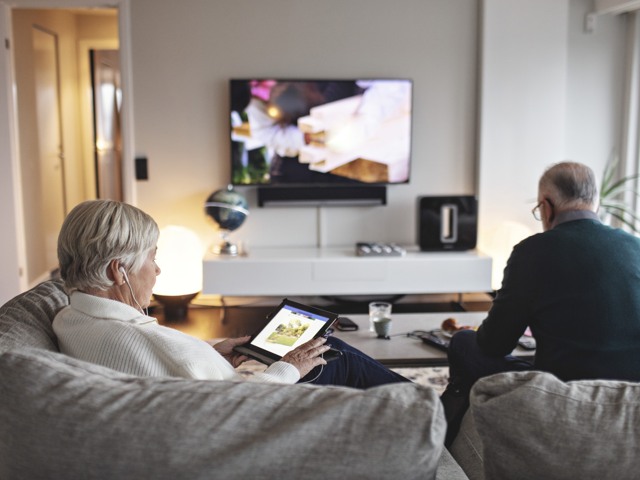
Five channels are included in your rent. Photo: Scandinav
Telephony
- Properties built before 2006: landline service available via a phone jack
- Properties built after 2006: no landline service—use broadband phone service or a cell phone
Here's how to use the data outlet in your apartment
Your apartment has two or three data jacks. Your main jack is the one labeled "IN." The "IN" port is where you receive the incoming fiber signal. If you want to route the signal to outlet 1 or 2 (if you have two other outlets), use the short patch cable provided and connect it between the IN port and the desired outlet, 1 or 2. To access the outlets, you’ll first need to remove the cover that’s over them.
For those of you who have more services than just TV
Do you have more than one fiber-based service, such as both a broadband service and a TV service? If so, a media converter (CPE) will automatically be sent to you. It allows you to split the services and thus use them wherever you want in your apartment. For example, you can use the broadband service at your main outlet and then route the TV service to the outlet in the living room.
Skövde Municipality's Digital Fixer
If you’re over 65, you can get help from Skövde Municipality’s Digital Fixer. You’ll learn how to install and get started using
various apps, digital services, and social media, as well as
communication tools in your daily life. PLEASE NOTE that they do not help with installing TV boxes. Learn more about the Digital Fixer